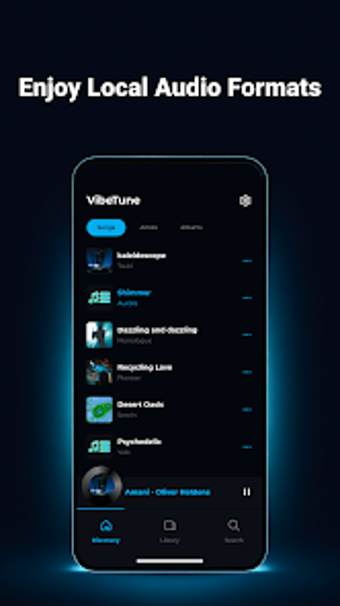
VibeTune Offline Player: Local, lossless music playback on Android
Experience a focused local music player, VibeTune - Offline Player, from WAKStudios, built to play stored audio without an internet connection. The app scans device storage for audio files and presents organized views by song, artist, album, and folder, enabling playback and background control. It supports high-fidelity formats including FLAC and WAV, playlist editing, a sleep timer, and lock-screen controls. For Android users with large local libraries or limited data, this app offers private, offline listening and straightforward library management.
What does the app do for local music collections?
Specifically, the app performs an automatic local library scan and presents organized lists by song, artist, album, and folder. It supports high-fidelity formats such as FLAC and WAV, and provides playlist creation and editing. Folder-based browsing preserves existing file organization so users who keep curated directories can navigate without reimporting. The design intentionally focuses on device-resident media rather than cloud synchronization.
Does the app affect device performance during scans or playback?
In practice, the player targets a lightweight performance profile for modern Android hardware and runs scans alongside background playback without relying on remote services. Background playback includes a notification widget and lock-screen controls, so audio continues while multitasking. The app requires Android 7.0 and up, aligning performance expectations with current mobile devices; typical resource use matches standard mobile playback rather than desktop-level processing.
Is the app safe and private for sensitive music collections?
Notably, operating as an offline-first player with no requirement for cloud synchronization reduces exposure of media files to remote servers. This local-only model supports private listening for travelers or users with restricted data access. Library scanning indexes entries on-device by artist and album, keeping searches local. The developer's emphasis on local playback means the app purposely avoids upload or sync features.
Do I need technical knowledge to use the app correctly?
Practically, the interface follows a clean, modern layout aimed at straightforward navigation, so casual users can create and edit playlists, set the sleep timer, and control audio from the lock screen without complex setup. Folder-based browsing preserves familiar directory structures, reducing the need to reclassify files before travel. Common tasks remain accessible while users who value high-fidelity formats retain playback options.
Practical choice for device-first listeners, with a clear trade-off
The app is a pragmatic option for Android users who keep music files on their device and prioritize private, offline listening. The main trade-off is its strict local-only design, which prevents accessing collections remotely. For listeners who manage large device libraries or travel with limited connectivity, the player delivers focused, reliable offline playback while avoiding cloud dependence. Tip: rescan after adding files before travel.